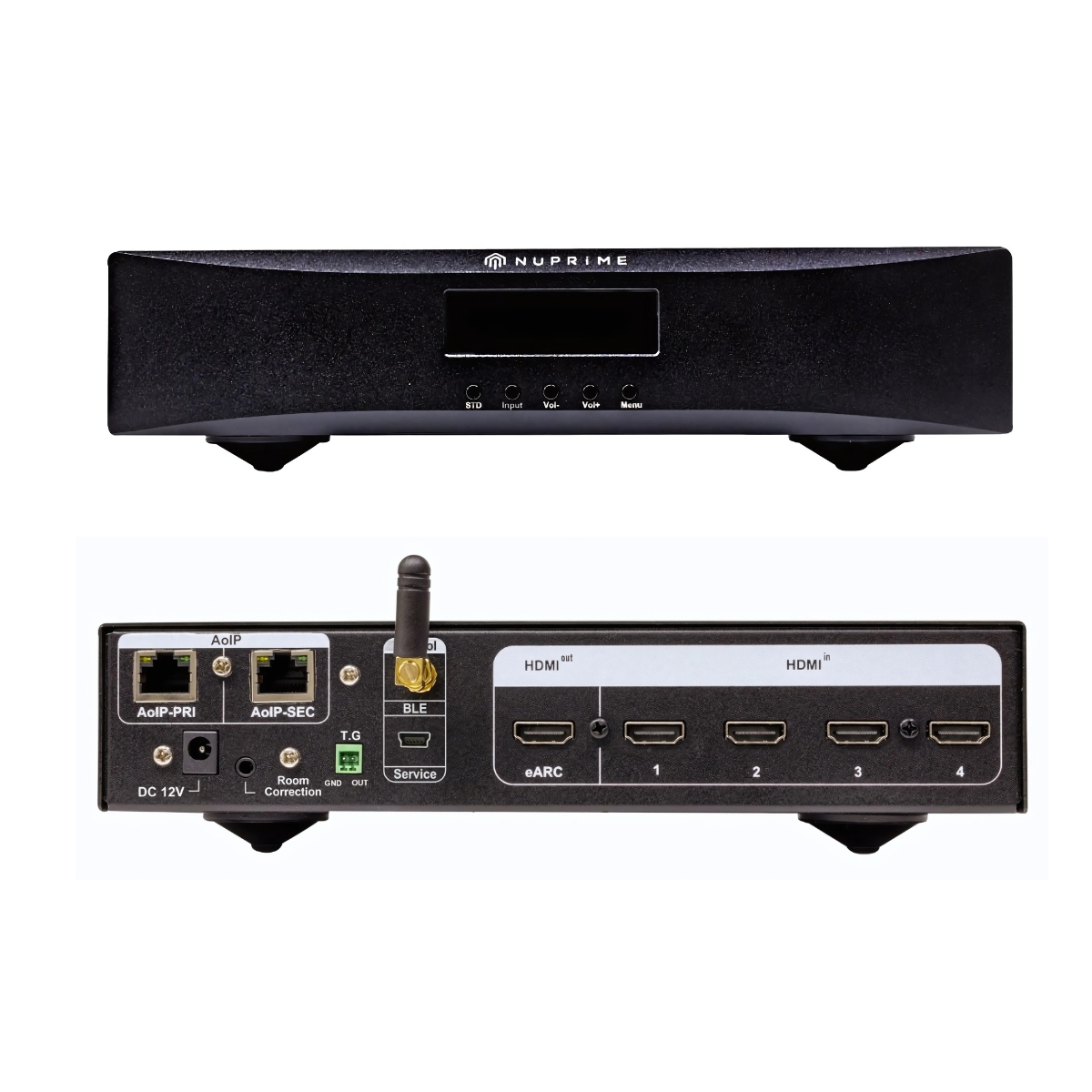
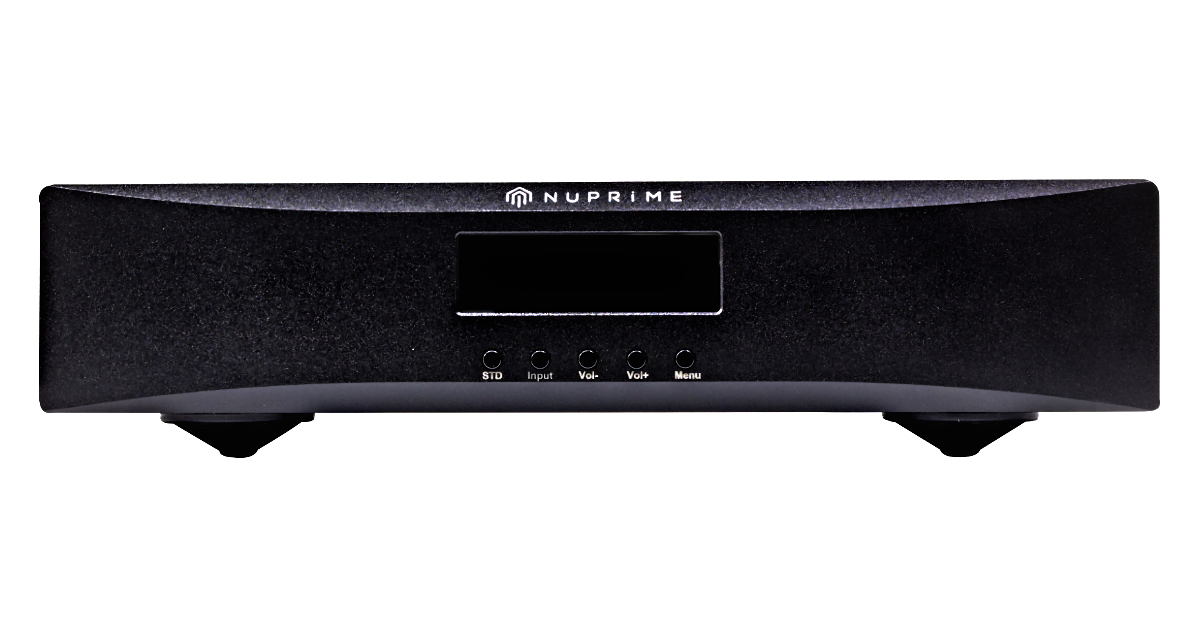
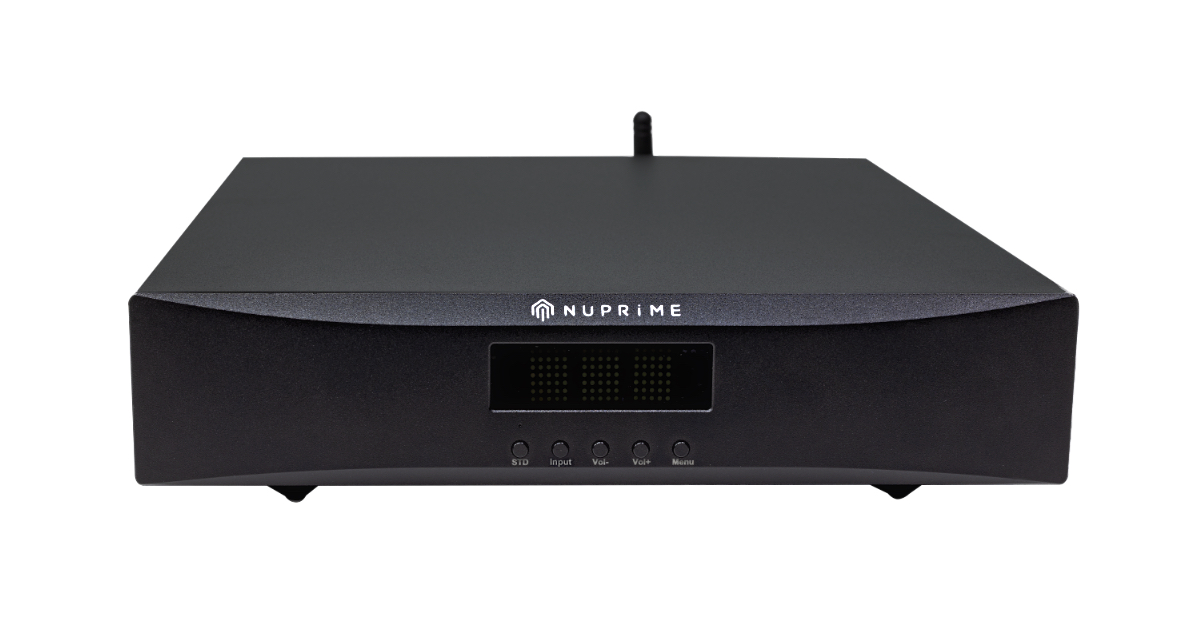
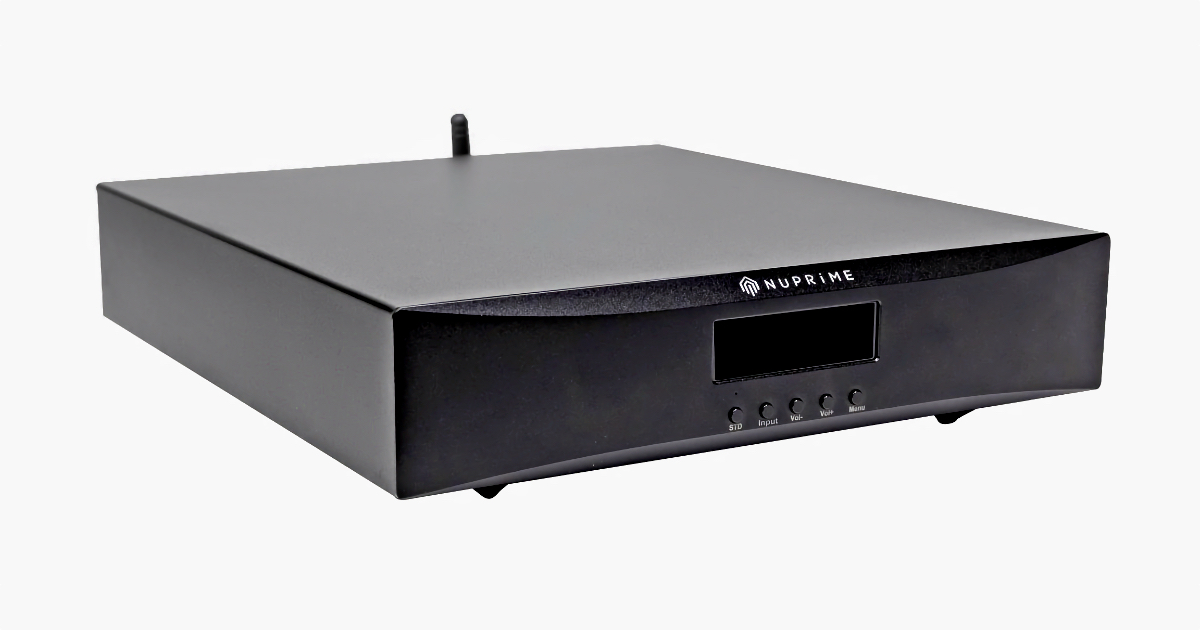
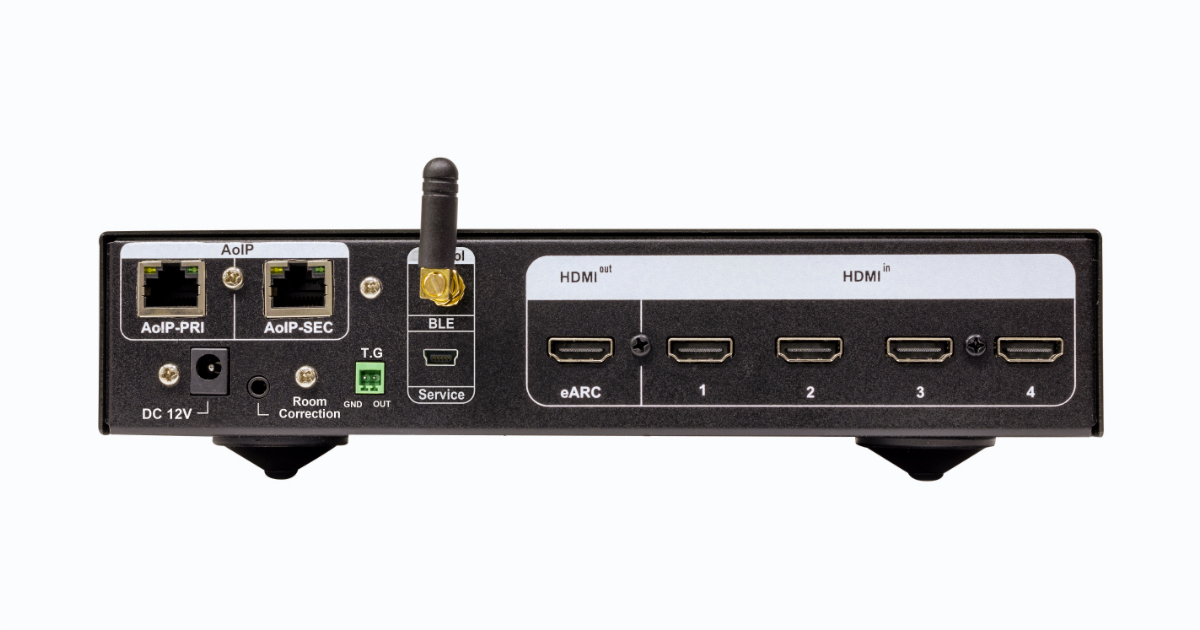
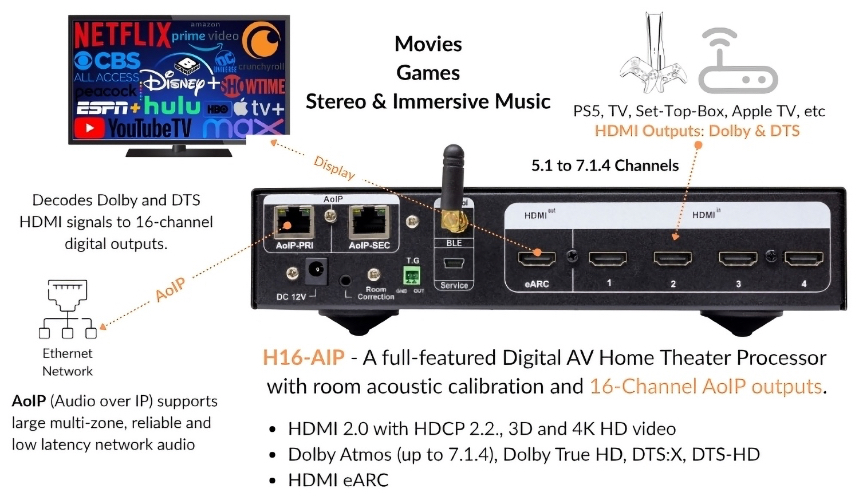
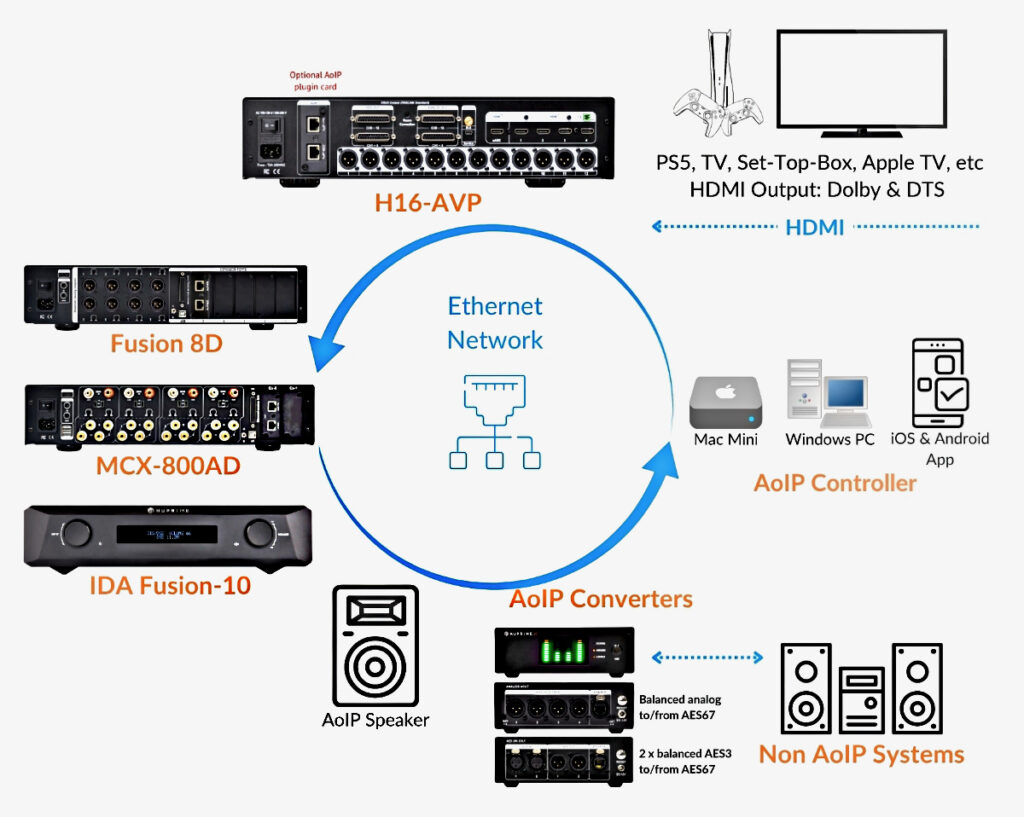
The Nuprime-X H16-AIP is a high-performance Digital AV Home Theater Processor that supports immersive audio formats such as Dolby Atmos® and DTS:X®, with full eARC HDMI and 4K HDR video pass-through. It enables networked audio distribution via AES67, allowing decoded HDMI audio to be streamed across compatible AoIP systems. The unit also includes automatic room calibration for optimized playback in diverse acoustic environments.
Note: The H16-AIP can be traded-in to HX16 models with higher specifications and features by paying the price difference when available.
Description
The Nuprime-X H16-AIP is a high-performance Digital AV Home Theater Processor designed for professional and consumer audio applications requiring seamless networked distribution. Its versatile design ensures effortless integration with audio-over-IP (AoIP) systems, making it an essential component for studios, theaters, and immersive sound setups.
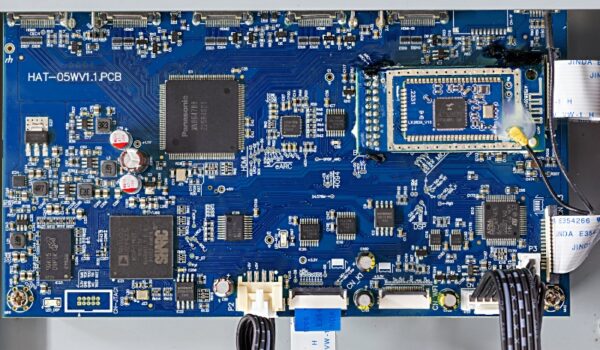
HDMI Decoding
As part of the Nuprime Fusion-X platform, the H16-AIP connects seamlessly with other Nuprime AoIP-compatible products, creating a cohesive, scalable audio network. By distributing multi-channel audio over IP, it eliminates the need for traditional analog cabling while maintaining low-latency, high-resolution sound quality.
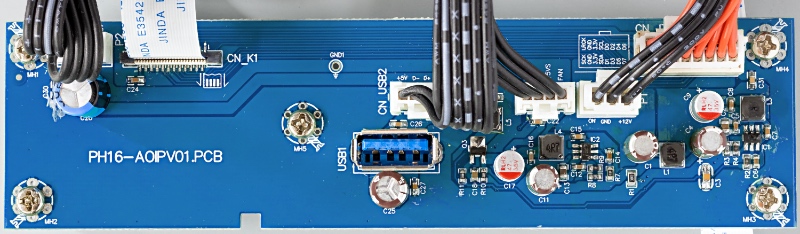
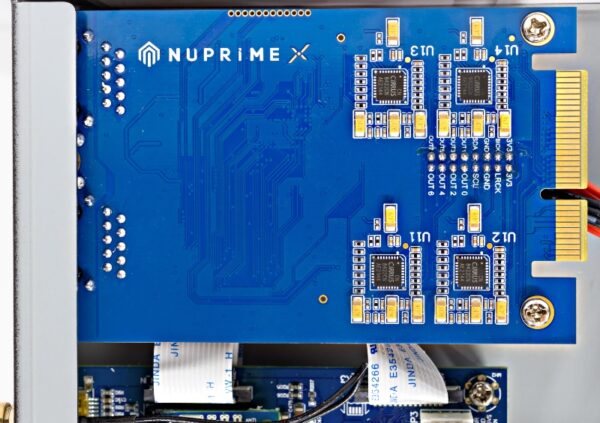
I2S to AoIP Interface Board
Paired with AoIP-enabled speakers, the H16-AIP transforms any space into an immersive audio environment, from home theaters and gaming setups to large-scale cinemas and esports arenas. Its modular, expandable architecture supports everything from multi-room configurations to full theater-grade systems, offering a future-proof solution for high-performance, networked sound reproduction.
AoIP board
Key Features:
Audio
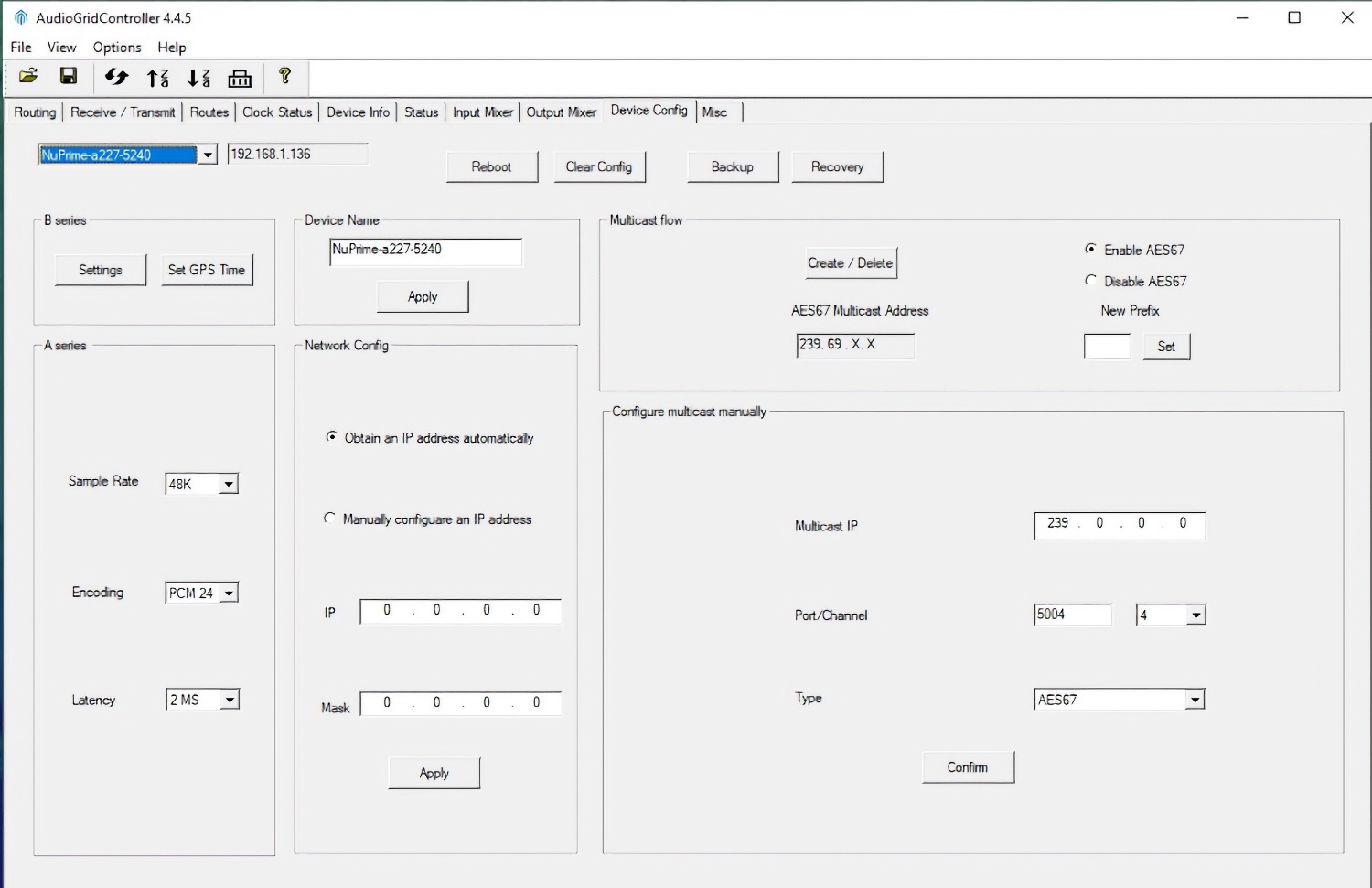
The module used in the H16-AIP shares the same characteristics as a Dante module. If you enable AES67 mode, the sampling rate will be fixed at 48kHz. Disabling AES67 mode allows operation at 96kHz. The H16-AIP can decode DTS-HD Master Audio® 96kHz content and transmit it via AoIP to a computer or Nuprime-X multi-channel DAC at a 96kHz sampling rate. See note below.
Converts HDMI audio to AES67, Dante®, and other digital formats.
Supports Dolby Atmos® (up to 7.1.4) and Dolby True HD® and all downward Dolby® audio formats.
Supports DTS:X®, DTS-HD Master Audio®, and all compatible HD audio formats.
Supports MPEG-H with playback MPEG-H Authoring Suite (MAS) or VLC player on macOS or Windows PC with HDMI output.
Supports HDMI eARC.
Integrated automatic room acoustic calibration with built-in testing and compensation for room EQ, channel loudness, and speaker distances. Features one-touch operation for full auto correction while also allowing manual adjustments.
Ensures low-latency and high-fidelity audio transmission.
Video
HDMI 2.0 with 4 inputs and 1 output, supporting HDCP 2.2.
Supports 3D and 4K HD video transmission.
HDR formats: Dolby Vision®, HDR10, and HLG for enhanced color and contrast.
HDMI CEC support for seamless device control.
HDMI video output mode management for optimized display performance.
Device Control
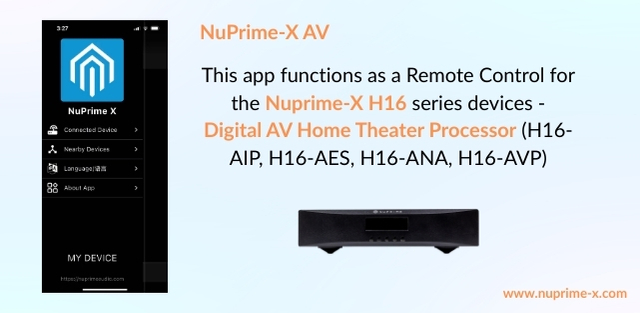
iOS and Android App
Handheld Remote
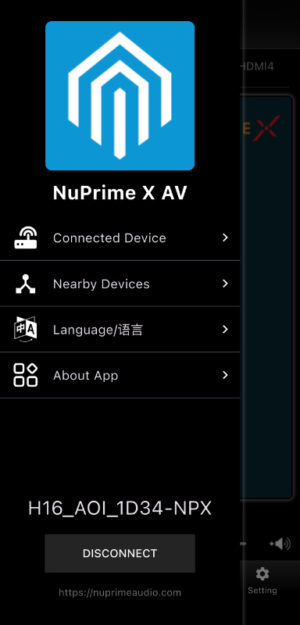
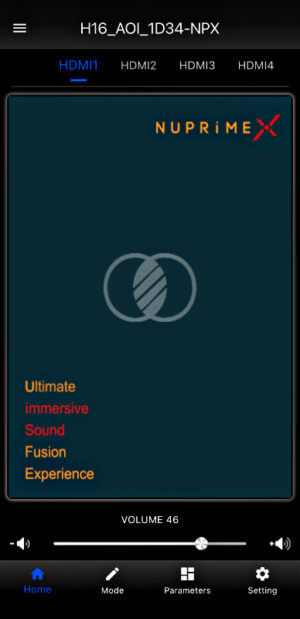
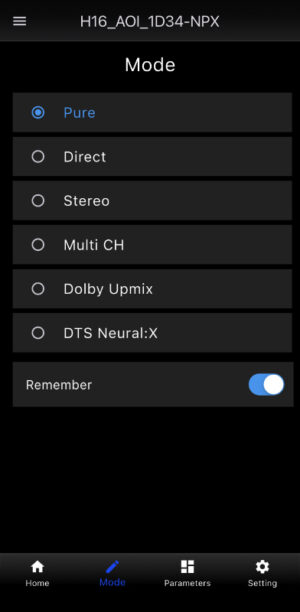
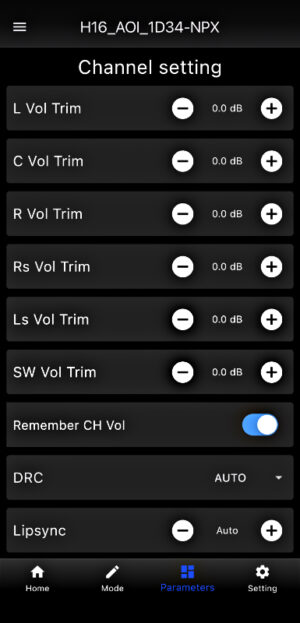
The H16 app is available on both iOS and Android as the “NuPrime-X AV” app.
Begin by selecting the language, then locate and connect to the device, and choose the device's input.
Advanced options include mode selection, channel parameters, and speaker layout configuration.
SPECS
Specifications:
Output Audio Format: Fixed to 24bit/48kHz (AoIP can be upsampled to 96kHz through setting on AoIP/Dante Controller)
Input Audio Format:
PCM, up to 24-bit/192kHz
Dolby TrueHD supports up to 24-bit/192kHz
DTS-HD Master Audio supports up to 24-bit/192kHz
Dolby Digital Plus and Dolby Atmos support 24-bit/192kHz
Network Protocols: AES67, Dante® and Ravenna® compatible
Inputs: 4 x HDMI, HDMI eARC
Outputs:
AES67 Primary and Secondary RJ45 ports
HDMI eARC
12V Trigger Out
Power Supply: External AC adapter to DC 12V/2.5A
Product Dimension & weight: Height 55 mm x Width 235 mm x Depth 281 mm; 3kg
Package Dimension & weight: Height 80 mm x Width 390 mm x Depth 360 mm; 4kg
Please note that all AoIP devices on the network must use the same sampling rate for compatibility.
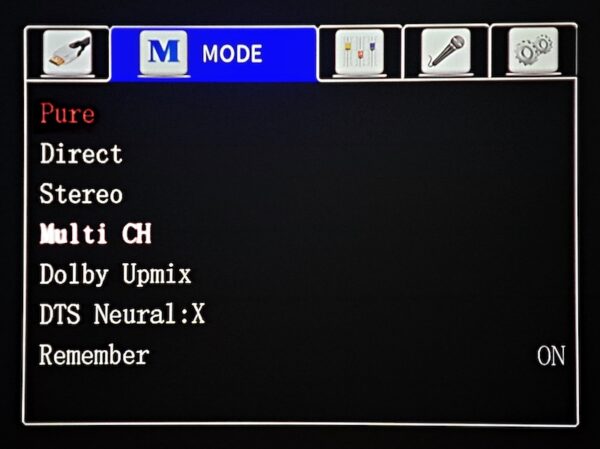
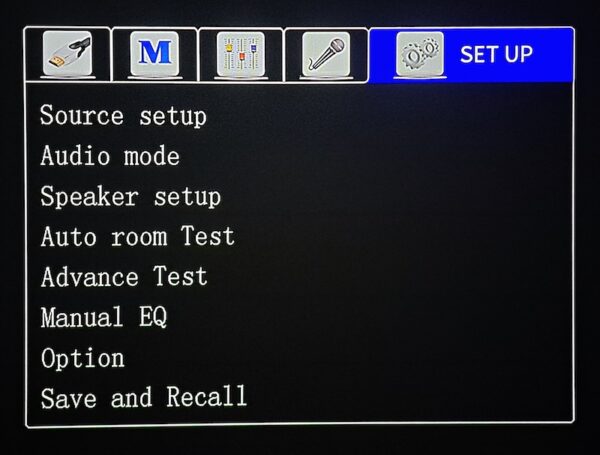
Home Theater Onscreen Guide
Connect the H16-AIP HDMI output (labeled eARC) to your display.
By default, the H16-AIP is set to Pure mode (audio is decoded and pass through to AoIP with no DSP processing). Switching to other modes applies sound processing effects, which can alter the audio quality of the AoIP channels.
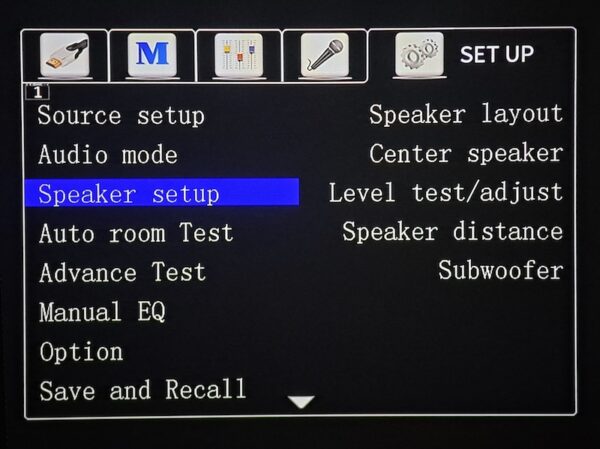
Go to Speaker setup.
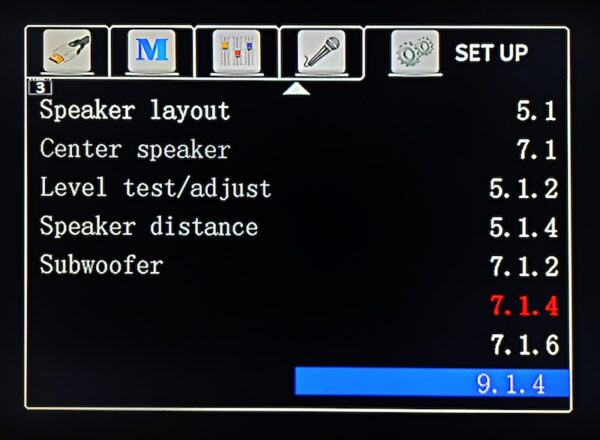
Select Speaker layout
Choose the speaker layout that matches your HDMI source.
Return to the Setup menu and select Auto Room Test with the microphone connected to the H16-AIP. Place the microphone at your primary listening position. For the best Dolby Atmos experience, ensure your main listening spot is centered between the front left and front right speakers, ideally near the center of the room. For detailed guidance, refer to the Dolby setup guide online.
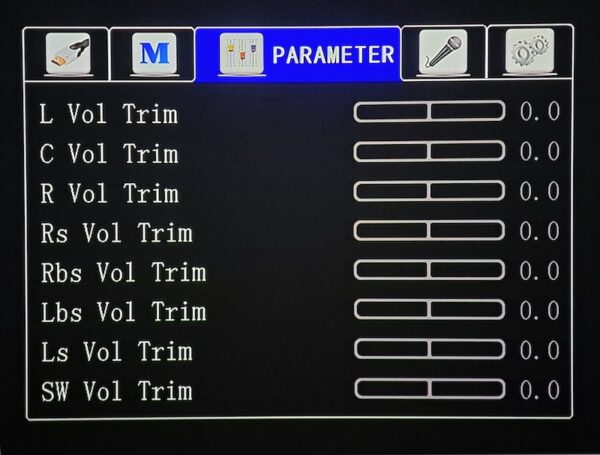
Perform manual adjustment to fine tune the speakers parameter after the auto room test.
H16 Modes
Pure
Plays the audio signal exactly as received, with all DSP, EQ, bass management, crossovers, and tone controls disabled.
Only essential processing (like volume control) remains.
Often used for audiophile listening or testing.
Direct
Similar to Pure, but may still allow basic processing such as:
Bass management (subwoofer output)
Speaker distance/delay
Level trims
Still keeps most DSP enhancements off.
Stereo
Converts the incoming signal into 2-channel left/right output.
Subwoofer may be used depending on the speaker settings.
Ideal for music listening with standard 2-speaker setups.
Multi CH (Multichannel)
Plays the audio in its native format across all available channels.
Example: 5.1 → plays as 5.1, 7.1 → plays as 7.1
No upmixing to additional speakers unless necessary.
Multi CH mode uses full DSP features such as bass management and speaker calibration, while Pure mode bypasses all processing and sends the signals untouched to AES or AoIP outputs.
Dolby Upmix (Dolby Surround)
Upmixes any input (2-channel or multichannel) to your full speaker layout.
Creates height and surround effects using Dolby processing.
Best when you want immersive audio from non-Atmos sources.
DTS Neural:X
DTS’s version of an immersive upmixer.
Expands stereo or multichannel audio to the full speaker array.
Often preferred for its more spacious and natural surround field.
Note: Starting from firmware V2.05.0734, the Speaker Layout menu only shows up to 7.1.4 channels. Beyond 7.1.4 (7.1.6 and 9.1.4) the channels are not supported.
New Features added since firmware V2.05.0734.
Existing customers with firmware earlier than V2.05.0734, follow the Firmware Update guide on the product page.
Speaker Crossover
What Is a Crossover? A Simple Explanation.
When you set a crossover (frequency cutoff), you’re telling your amplifier:
• Send sounds below a certain Hz to the subwoofer (Subwoofer).
• Send sounds above that Hz to the speakers (L/R, center, surround, etc.).
Common Recommendations
• 80 Hz is the standard THX setting and works for most speakers.
• Small speakers often use a crossover of 100–120 Hz.
Crossover Settings
L/R Crossover
Crossover point for the front left and right speakers.
Adjustment range: Bypass, 40 Hz–180 Hz
Center (C) Crossover
Crossover setting for the center speaker.
Adjustment range: Bypass, 40 Hz–180 Hz
Surround (SUR) Crossover
Crossover point for the surround speakers.
Adjustment range: Bypass, 40 Hz–180 Hz
Top (Height / Atmos) Crossover
Crossover point for the height / Atmos speakers.
Adjustment range: Bypass, 40 Hz–180 Hz
Subwoofer High-Pass (SW HighPass)
High-pass filter for the subwoofer.
Adjustment range: Not in use, 20 Hz–50 Hz
Subwoofer Low-Pass (SW LowPass)
Low-pass filter (LPF) for the subwoofer.
Adjustment range: 40 Hz–250 Hz
Back Crossover
Crossover setting for the rear/back surround speakers
Adjustment range: Bypass, 40 Hz–250 Hz
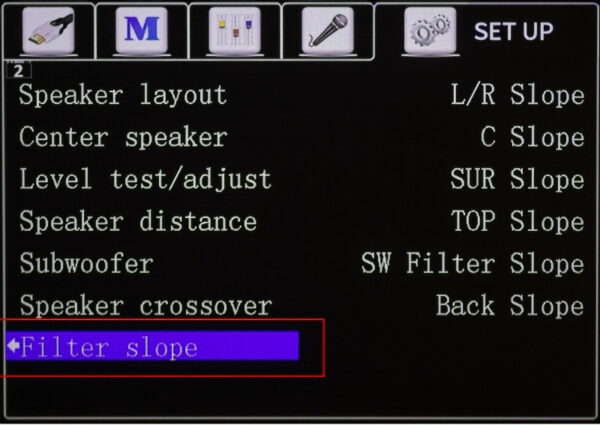
Filter Slope
What Is Filter Slope?
The filter slope describes how quickly a crossover reduces (or increases) the signal level beyond the crossover point. It’s usually expressed in dB per octave (dB/Oct), such as:
12 dB/Oct (gentler slope)
18 dB/Oct
24 dB/Oct (steeper slope)
Why Adjust the Filter Slope?
The slope affects how smoothly different speakers blend, as well as low-frequency directionality and tonal consistency.
Gentler Slope — 12 dB/Oct
More natural blending between speakers
Better tolerance of room acoustics
Well-suited for larger floor-standing speakers
Steeper Slope — 24 dB/Oct
Clearer separation between speaker roles
Works well for small speakers
Reduces frequency overlap between multiple speakers (helps avoid boomy bass)
Produces cleaner and more precise subwoofer performance
Back Slope (Rear/Back Channel Slope) - Adjustment range: 6 / 12 / 24 dB
AoIP Ecosystem
Audio over Internet Protocol (AoIP) is a technology used for transmitting digital audio across standard IP networks, revolutionizing the way audio is distributed in various professional and consumer environments.
Key Benefits
High-Resolution, Uncompressed Audio.
Flexible, Scalable & Centralized — Expand your system without rewiring and manage everything from one simple interface.
Long-Distance, Low-Latency Audio — Transmit audio reliably over standard Ethernet with sub-microsecond sync, using AES67 for smooth interoperability across devices.
Do AoIP Devices Need to Connect to a Router?
No. In most installations, Audio over IP (AoIP) devices do not require a router to operate.
AoIP devices communicate primarily through Ethernet switches. A standard Local Area Network (LAN) consisting of unmanaged or managed switches is typically sufficient to transport audio streams between devices. Most AoIP protocols, including Dante, AES67, Ravenna, and similar systems, are designed to operate on a single Layer 2 Ethernet network, where devices communicate directly using Ethernet frames and MAC addresses.
As long as all AoIP endpoints are connected to the same network segment or VLAN, audio routing, clock synchronization, and stream transport can function without any router present.
What Is the Role of an AoIP Controller, and Is It Needed After Configuration?
An AoIP Controller is primarily a configuration and management tool used to discover devices, create audio subscriptions, monitor network status, and modify routing. In most AoIP systems, the controller does not need to remain connected once the system has been configured.
Configuration Storage in Device Memory - When a controller application (such as Dante Controller) is used to route audio from one device to another, the routing information is stored directly in the non-volatile memory of the AoIP endpoints. The devices retain these subscription settings even after power is removed.
Direct Device-to-Device Communication - Once configured, AoIP endpoints communicate directly with each other through the Ethernet switch. Audio streams do not pass through the controller computer, nor does the controller act as an intermediary for normal audio transport.
Automatic Recovery After Power Cycling - If the entire AoIP system is powered down and restarted, the devices automatically reload their stored configuration and re-establish their previous audio subscriptions. Under normal circumstances, the controller software does not need to be running for the system to resume operation.
Note that newer version of Dante Controller pop up a harmless message indicating that Nuprime devices are not Dante devices (we use a different AoIP module).
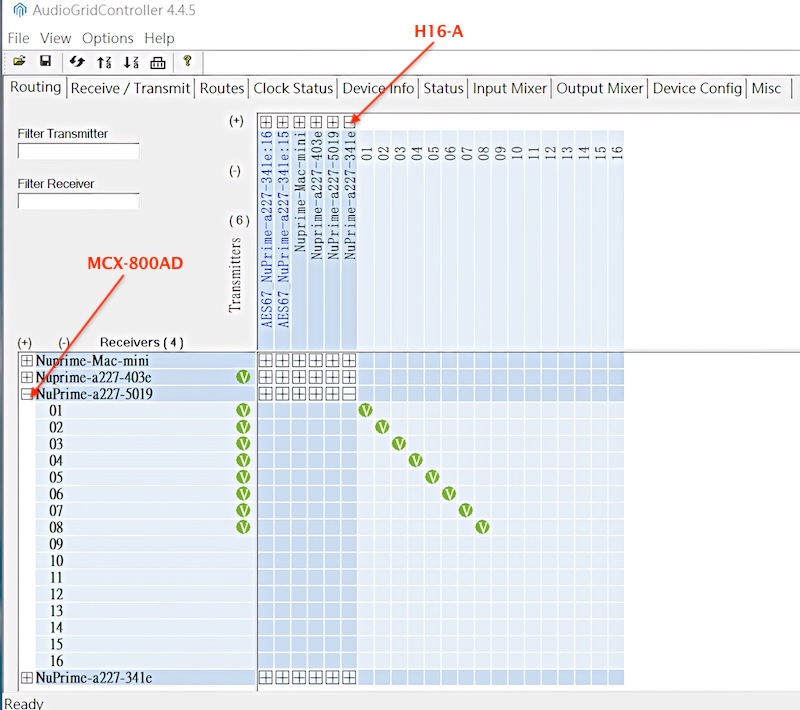
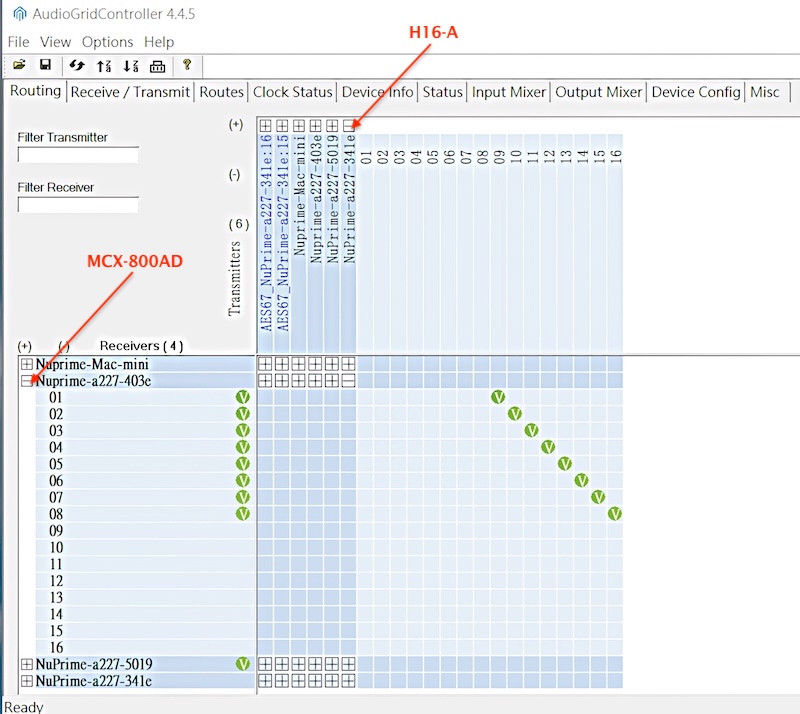
Connecting source and receiver channels in an AoIP system is as simple as a point-and-click operation.
In this use case, an H16-AIP (device ID “a227-341e”) decodes Dolby Atmos® 7.1.4 and distributes it to two MCX-800AD devices equipped with AoIP plugin cards. Device ID “a227-5019” handles channels 1 to 8, while device ID “a227-403e” manages channels 9 to 12.
Software-Update-Instructions-for-H16-series (applicable to all H16 models). Format the USB flash drive (drive capacity is 32GB or smaller) in FAT32 format with 4KB allocation unit size.
Regardless of your current firmware version, you can upgrade directly to the latest firmware. This firmware specifically addresses the following issues:
1. Corrected the problem of excessively high LFE output, and simultaneously aligned and resolved the inconsistency in the output values of each channel.
2. Corrected and fully aligned with the Dolby Atmos output specifications, significantly improving potential dynamic compression. The sound played through the H16 is now much better!
3. Fixed the issue of automatically decoding 5.1 audio as 7.1.
4. Fixed the issue of automatically decoding additional LFE audio during playback; for example, it will no longer decode 2.1 audio when playing 2.0.
5. H16 with AoIP channels only: Fixed potential noise issues in each channel caused by clocking (Note: Since the H16 is set to Slave by default, please ensure that at least one AoIP device is set to Master).
6. Resolved a problem where the built-in DRC might not detect the signal tone when running in 5.1.x/4.1.x format, causing the measurement to stop.
7. Fixed a problem where DRC data was lost after a reboot.
8. Adjusted the standard sound pressure level used during DRC testing, significantly reducing potential interference from excessively high sound pressure levels during measurement.
Known Bugs and Workarounds — V2.05.1217
Incorrect left-channel distance after room calibrationAfter room calibration is completed and applied, the left-channel distance remains at 0.0 m. This can cause the sound to shift toward one side. Workaround: No confirmed workaround. Check the left-channel distance after applying calibration.
Listening mode is not retained after standbyWhen the H16 is turned off and back on while remaining connected to power, it returns to Multi CH instead of restoring the previously selected listening mode. Workaround: Reselect your preferred listening mode after turning the H16 on.
Subwoofer occasionally has no sound after restartThe subwoofer (SW) may occasionally stop producing sound after the H16 powerrestarts. Workaround: Select Direct and run Test Tone. Then select Pure and run Test Tone again. This sequence restores subwoofer output in reported cases.
App and front-panel menu show different listening modesChanging the listening mode in the app does not update the H16’s MENU display. For example, the app shows Pure, while MENU still shows Multi CH. Workaround: No confirmed workaround for synchronizing the displays. The MENU display may be out of sync after a mode change in the app.
V2.05.0877
All previous bugs are fixed. Contact support@nuprimeaudio.com for new bugs.
Two channel audio is mixed into 2.1 channel audio. H16 is not designed for stereo music sources and there is no plan to fix this. Users can ignore the subwoofer output when playing two channel music.
If the speaker layout is not set to 5.1 channels, 5.1 audio tracks will be up mixed to 7.1 channels. Users who prefer not to hear the up mixed 7.1 output should set the speaker layout to 5.1 channels.
Switching the Apple Music source from Dolby Atmos to PCM may produce a popping noise during the first two seconds. This occurs because the decoding format changes, which can briefly generate a transient sound. This situation is uncommon and does not cause any harm to the speakers.
Speaker output levels in PURE mode are not properly matched. The subwoofer channel gain is higher than that of the other channels, which are consistent with one another. As a temporary workaround, the level can be adjusted through the DSP settings or by changing the subwoofer gain.
V2.05.0734
All H16 series should have this firmware version or higher. Download the ZIP file and unzip it to get the firmware file.
H16_AOIP_v2_05_0734_20251118.upg
Firmware 734 has resolved some of the issues from 336:
Crosstalk issues
Loss of signal without decoding while music is playing normally
When Apple TV is connected to the TV’s HDMI input, and the TV’s eARC returns audio to the H16-AIP with all four HDMI inputs left empty, noise occurs in the audio output from H16’s AoIP or AES
Added low-frequency roll-off and low-frequency management functions
LFE gain no longer attenuates (attenuation problem fixed).
Removed the extra 7.1.6 and 9.1.4 speaker layouts and leave only 7.1.4
Remaining high priority issues
Pure Mode output error - the following sources all output two-channel audio incorrectly mixed with LFE (displayed as 2.1 channels): Mac mini, PC, Apple TV 4K, Shield, Bluetooth (BT) playback. Pure Mode should not perform any rendering or generate LFE.
H16 fails to retain settings after power-off - After the H16 is powered off and restarted, user settings are lost and revert to default. [fixed in V2.05.0877]
All 5.1 audio tracks are incorrectly decoded as 7. Regardless of format, all 5.1 audio tracks (PCM 5.1, DD+ 5.1, DTS-HD MA 5.1) are automatically up mixed to 7.1. When Speaker Layout is set to 7.X.X, the system always up mixes to 7.1. If the layout is set to 5.X.X, this issue does not occur.
“No Signal” popup appears after long playback of DD+ Atmos. When playing a film using a Blu-ray player or the H16 with DD+ Atmos audio: After playing for some time, a “No Signal” message appears (usually mid-movie). Video and audio continue playing normally in the background. [fixed in V2.05.0877]
Lower priority issues:
Apple Music (Dolby Atmos → PCM) causes a pop noise in the first 2 seconds
Occasional pop noise when switching songs over Bluetooth. [fixed in V2.05.0877]
Height channel crossover issue. When adjusting speaker crossover [fixed in V2.05.0877]:
If the height channel is changed from Bypass to any crossover value, it cannot be switched back to Bypass
Only a full H16 reset restores Bypass
V2.05.0648
Download the ZIP file and unzip it to get the firmware file.
H16_AOIP_v2_05_0648_20250930.upg
This firmware reduces the following 3 problems:
Incorrect LFE level
Intermittent problems - ticking noise, playback stops/restarts after repeat fast forward or rewind
These problems have been reduced but not completely fixed. We are expecting another firmware update in November, 2025.
H16-AIP - update not necessary as the improvement is only partial, wait for next firmware update.
H16-AES shipped with firmware prior to v2_05_648. No update is needed.
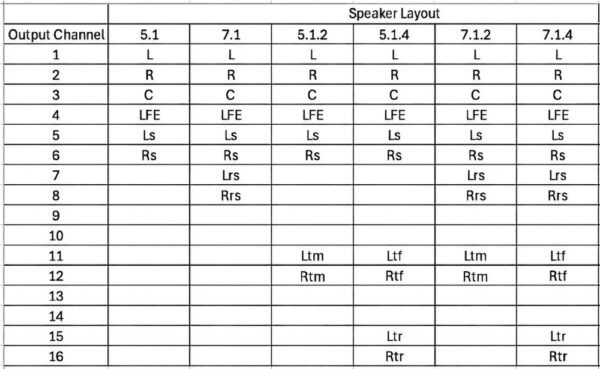
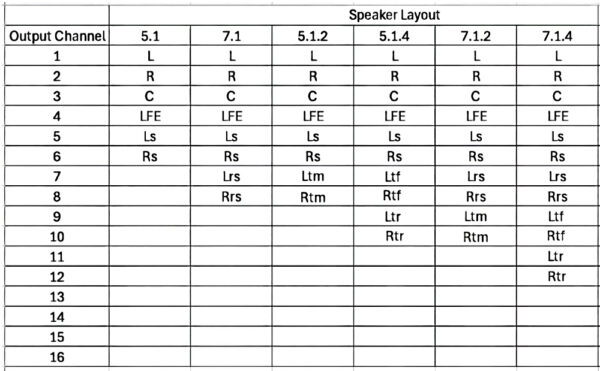
If you update H16 series with firmware V2.05.0648 or higher , your channel outputs will follow this sequence:
Reference table for output channel sequence vs speaker layout